ListoMagic
Chrome extension · Free

Capture only what you want.
As long as you want.

Drag over just the part you need and keep scrolling — it becomes one long image. Then erase small things with ✨ Poof Magic and translate text inside images.

✔ No download. Any computer with Chrome — ready in one click.Windows · Mac · Chromebook

Why people install it

Full page screenshots grab everything. You only wanted one part.

📜 Full page screenshot

Menus, ads, banners and 200 reviews come along. Then you crop.

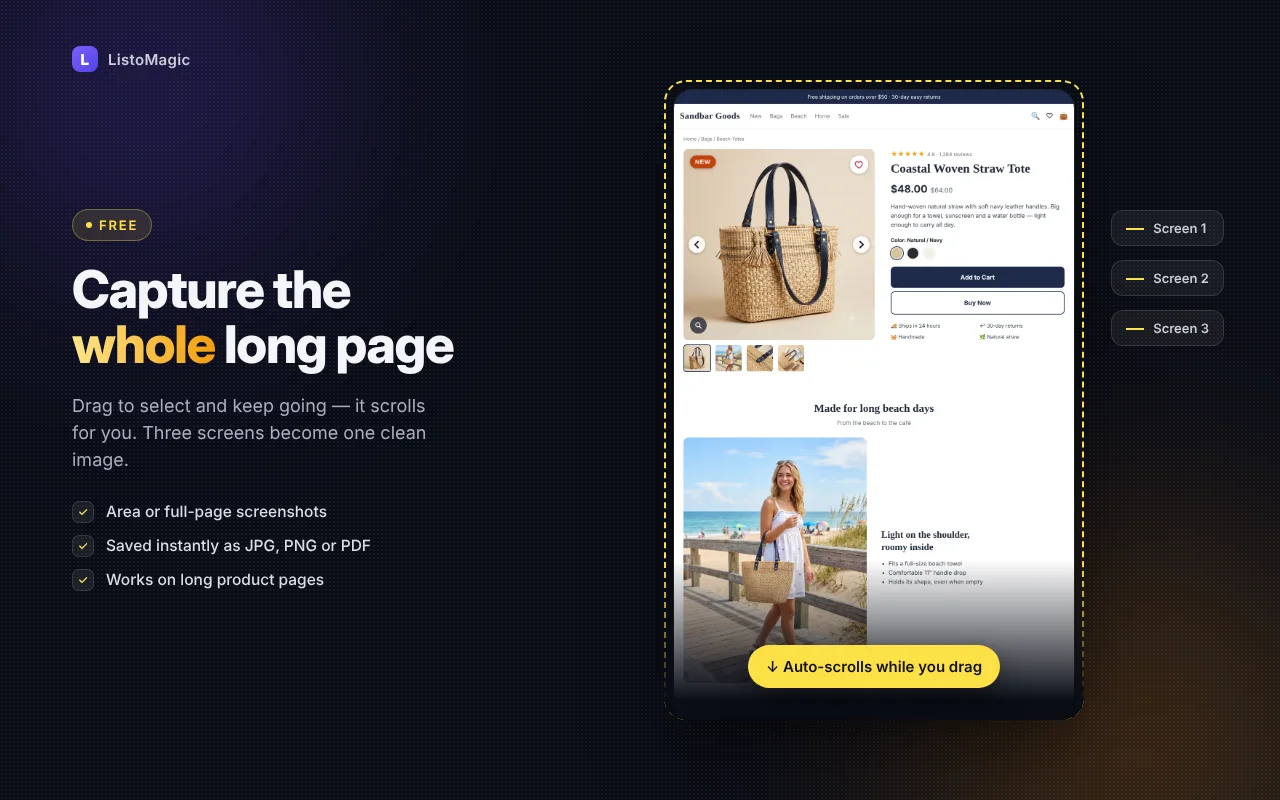
📸 Area scrolling screenshot

Drag over the part you want. Keep going past the screen — it scrolls for you. One clean, long image.

When to use it

Sound familiar? Here’s how it ends.

“Ten minutes before you leave, a client asks: “Can you send the competitor’s product page?””

📸One long image of just the part they need. No stitching.
⏱ about 10 sec

“You noticed just before hitting send: the customer’s phone number is right there.”

▦Drag over the number, mosaic, save.
⏱ about 5 sec

“Ten minutes into “top right… no, next to that…” on the phone with a customer.”

➜One arrow and a line of text on a screenshot. No long explanations.
⏱ about 10 sec

““Please send it as a PDF.” …time to hunt for a converter site again.”

💾Choose PDF when you save. No other program.
⏱ about 3 sec

“A quote arrived as a photo in another language. The reply is due today.”

🌐Drag over the text and read it in your language, line by line.
⏱ about 5 sec

“You add the source under every shared image — and you just forgot one again.”

🔗Turn it on once — “Source – account” appears automatically.
⏱ set once

“A Word table, a Photoshop image and a web page in one picture… so you opened Paint.”

🖥Capture other apps too, then place them side by side in the editor.
⏱ about 30 sec

“It works at home — but your work computer doesn’t have that screenshot program.”

💻All you need is Chrome. Nothing to install.
⏱ no install

What it does

Five things you’ll actually use

“You only needed one part of the page… ten screenshots and a lot of stitching later, it’s midnight.”

📸
Free ⏱ about 10 sec

Long screenshots of only the part you want

Drag, and when you reach the edge of the screen it keeps scrolling. Product pages, chats, order history, lecture notes — saved as one image.

Long screenshots of only the part you want

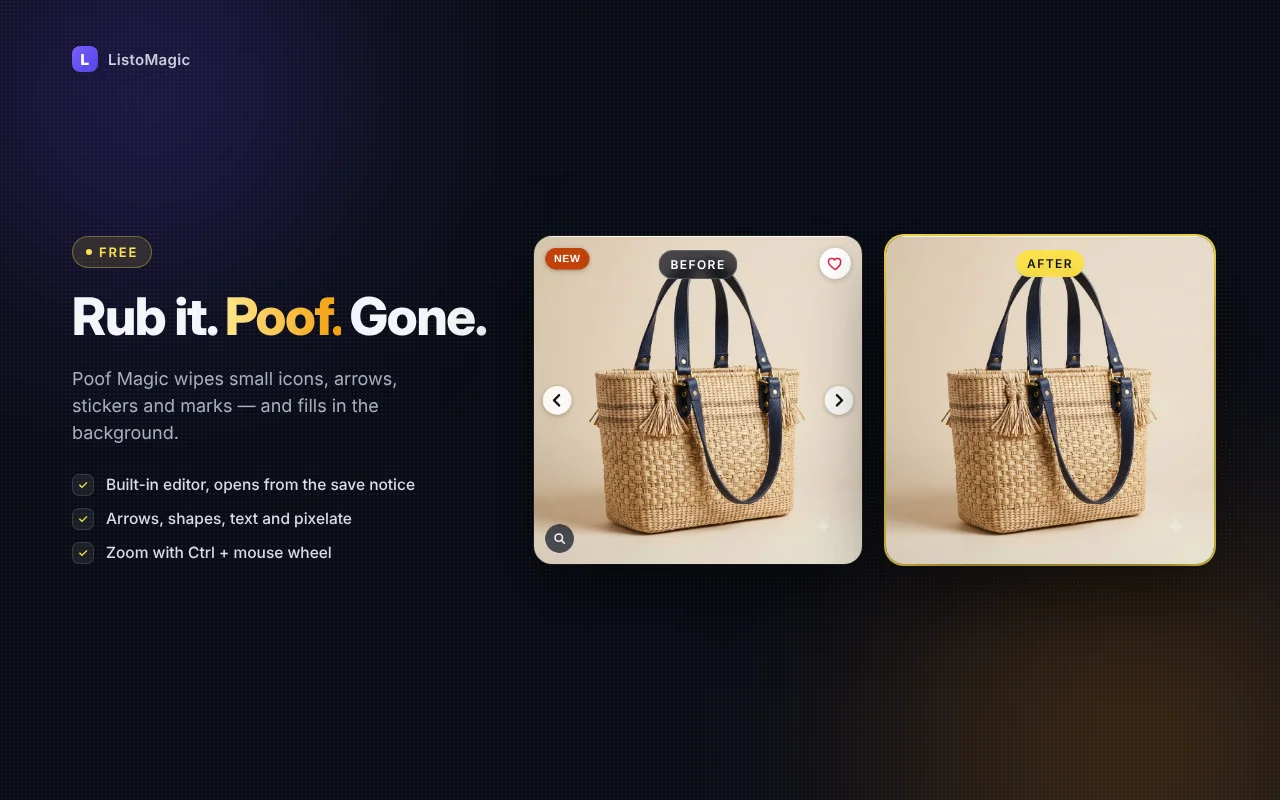
“Great product photo — but one “NEW” sticker means you can’t use it on your blog.”

✨
Free ⏱ about 5 sec

Poof Magic: wipe away small things

Rub over arrows, dots, “NEW” stickers or little icons. Let go and they’re gone, filled with the background.

Poof Magic: wipe away small things

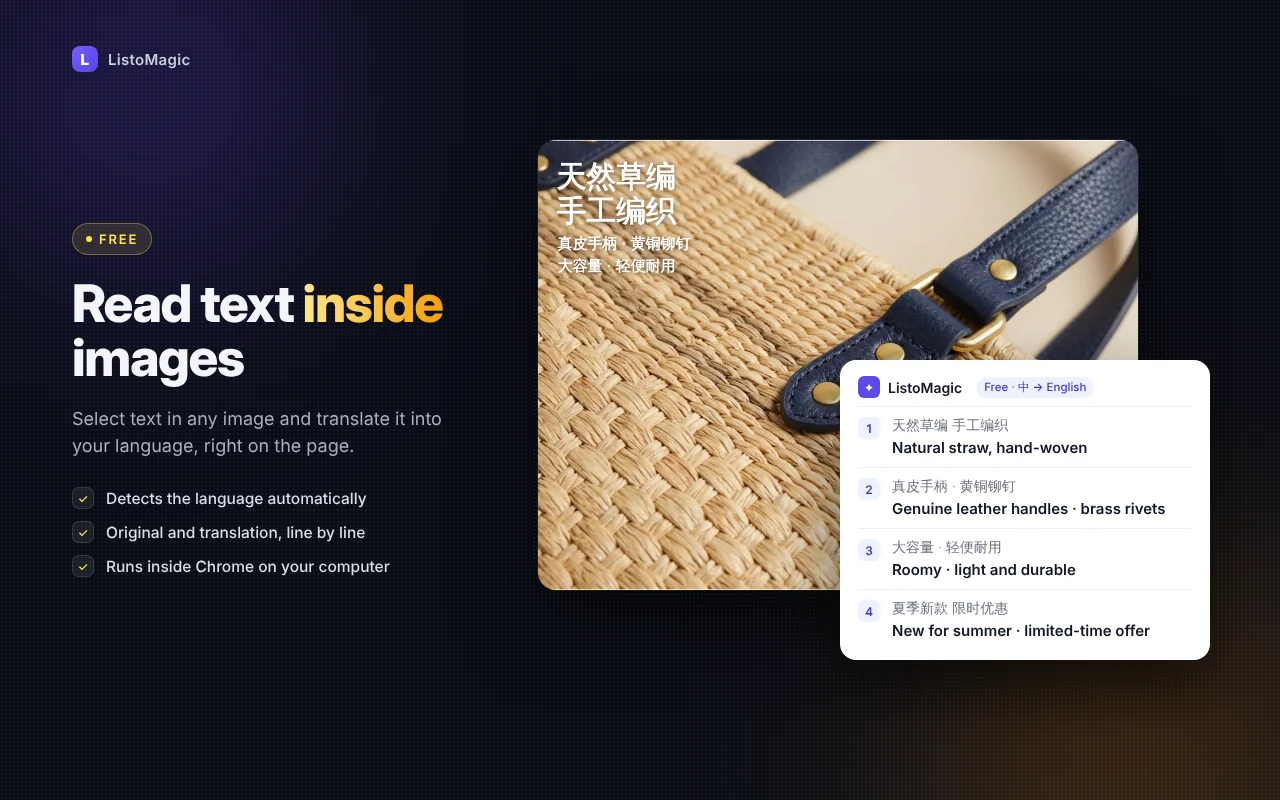
“The supplier photo is all Chinese. You typed it into a translator letter by letter, then gave up.”

🌐
Free ⏱ about 5 sec

Translate text inside images

Drag over a picture with Chinese, Japanese or English text and read it in your language, line by line. Runs on your computer.

Translate text inside images

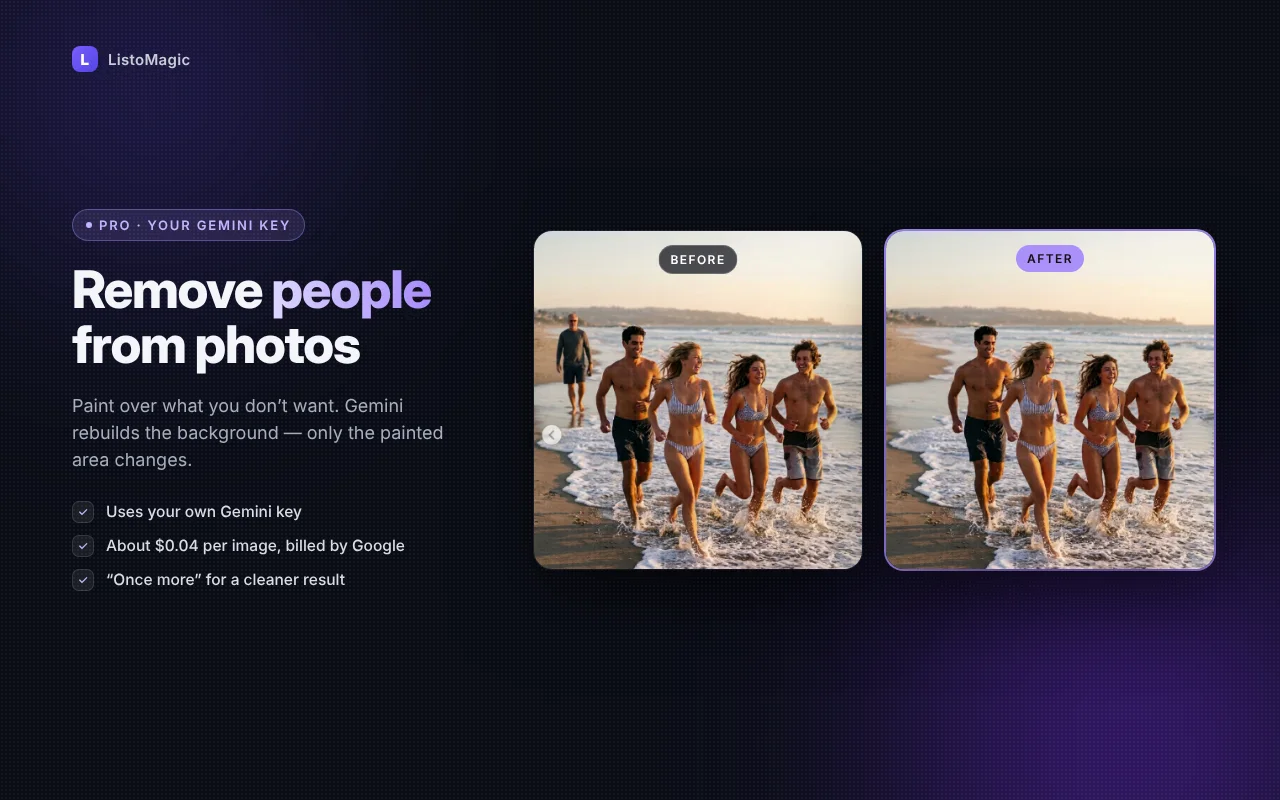
“Best photo of the trip! …except for the stranger walking right behind you.”

🎨
With your Gemini key ⏱ about 30 sec

Remove people from photos

A stranger behind your best shot? Paint over them and Gemini fills the space naturally. Only the painted area changes.

Remove people from photos

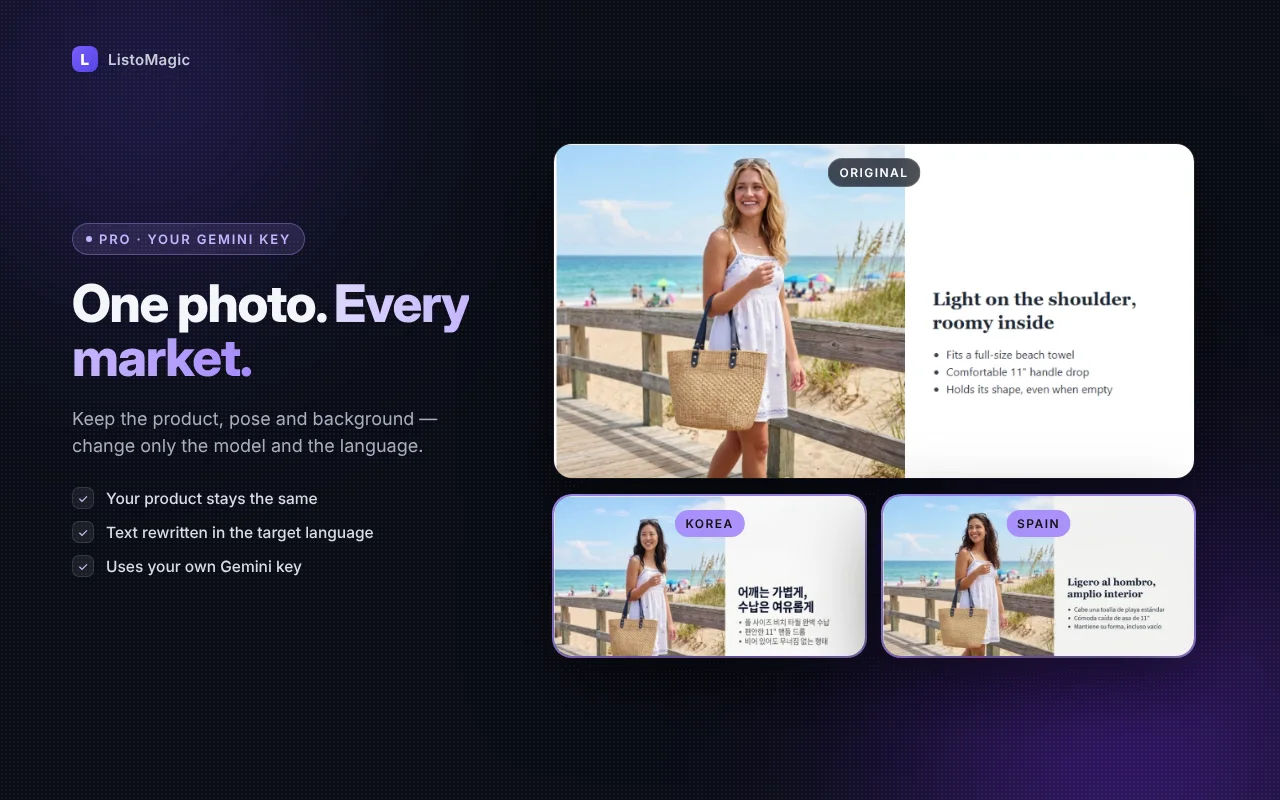
“To sell abroad you need a new model shoot for every country. That’s thousands.”

🌍
With your Gemini key ⏱ about 1 min

New model, new language — same photo

Keep the background, outfit, pose and product. Change the model and the text for each country you sell to.

New model, new language — same photo

And the everyday tools

📜
Full page screenshotTop to bottom, in one click.
➜
Arrows, shapes & textPoint, circle, explain.
▦
MosaicHide faces, names and numbers.
💾
JPG · PNG · WebP · PDFPick the format when you save.
🔗
Source creditAdd “Source – account” at the bottom.
🔍
ZoomCtrl + wheel, just like other editors.
🖥
Capture other apps NEWWord, Photoshop, chat windows — not just Chrome.
⏱
Auto screenshot NEWEvery 5 s to 1 min, saved as one ZIP or PDF.
➕
Combine screenshots NEWPut several captures side by side in one image.
What’s new

New in 1.2.4

  • Capture other apps (Word, Photoshop, chat windows)
  • Auto screenshot every 5 s – 1 min, saved as one ZIP or PDF
  • Combine several screenshots in the editor, extend the canvas
  • Paste with Ctrl+V adds an image instead of replacing it
All updates & what’s next →
Free vs AI

Most of it is free. AI is there when you need it.

Free · no sign-up

  • Area scrolling screenshot
  • Full page screenshot
  • Translate text in images
  • ✨ Poof Magic (small things)
  • Arrows, shapes, text, mosaic, crop
  • Save as JPG, PNG, WebP, PDF

AI · your own Gemini key

  • Remove people & large objects
  • New model & new language
  • Make new product images from a reference

AI uses your own Google Gemini key. Google bills you directly — about $0.04–0.05 per image (as of Nov 2026). We never see your key.

🔒

Your screenshots stay on your computer

Screenshots, editing and free translation all run inside Chrome on your computer. Nothing is uploaded. AI features send only the image you choose, only to Google Gemini, with your own key.

Questions

Is it really free?

Yes. Screenshots, full page capture, translation, Poof Magic and all the editing tools are free. Only the AI features need your own Gemini key, and Google charges for those directly.

Do I need to install a program?

No. It’s a Chrome extension. Add it once and it works on any computer with Chrome — office PC, home laptop, Mac.

Does it work on Instagram and online stores?

Yes. It captures any page you can open in Chrome.

Where are my files saved?

In your Downloads folder by default. You can pick your own folder in the settings.

What is a Gemini key and what does it cost?

It’s your personal key from Google AI Studio. Image editing with AI costs about $0.04–0.05 per image, paid to Google. The free features never need a key.

Still not using ListoMagic? It’s free.

No download. Any computer with Chrome — ready in one click.

Add to Chrome — it’s free